
Never Miss a Deal on Takealot
Track price history instantly on any Takealot product page with one-click access to Serval Tracker charts

Track price history instantly on any Takealot product page with one-click access to Serval Tracker charts
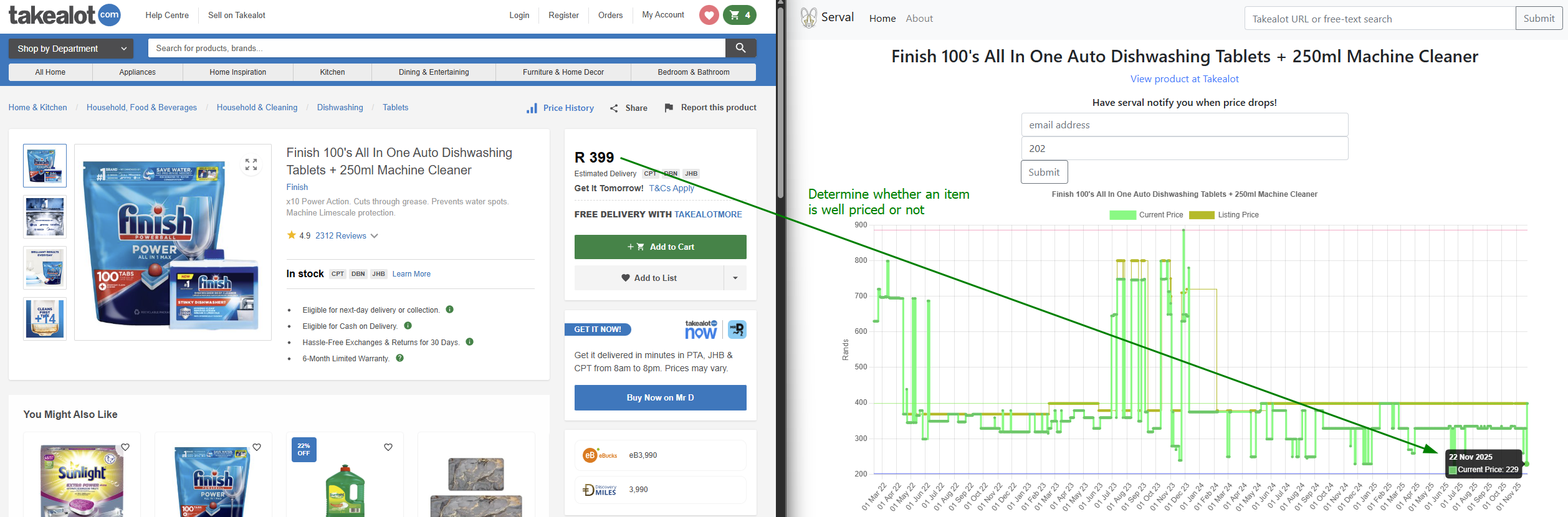
One-click access to detailed price tracking graphs from Serval Tracker, right from any Takealot product page
Seamlessly integrated button appears next to the Share button on product pages - feels like a native Takealot feature
No page slowdowns or intrusive popups. Clean, minimal design that stays out of your way until you need it
Automatically extracts product IDs from Takealot URLs - no manual copying or searching required
Styled to match Takealot's design language perfectly - you'd think it was built by Takealot themselves
Use the on-page button OR the browser toolbar icon with popup - whichever fits your workflow better
Add the extension to Chrome (instructions below)
Visit any product page on takealot.com as you normally would
Look for the "Price History" button next to the Share button, or click the extension icon
Serval Tracker opens in a new tab with complete price tracking graphs and analytics
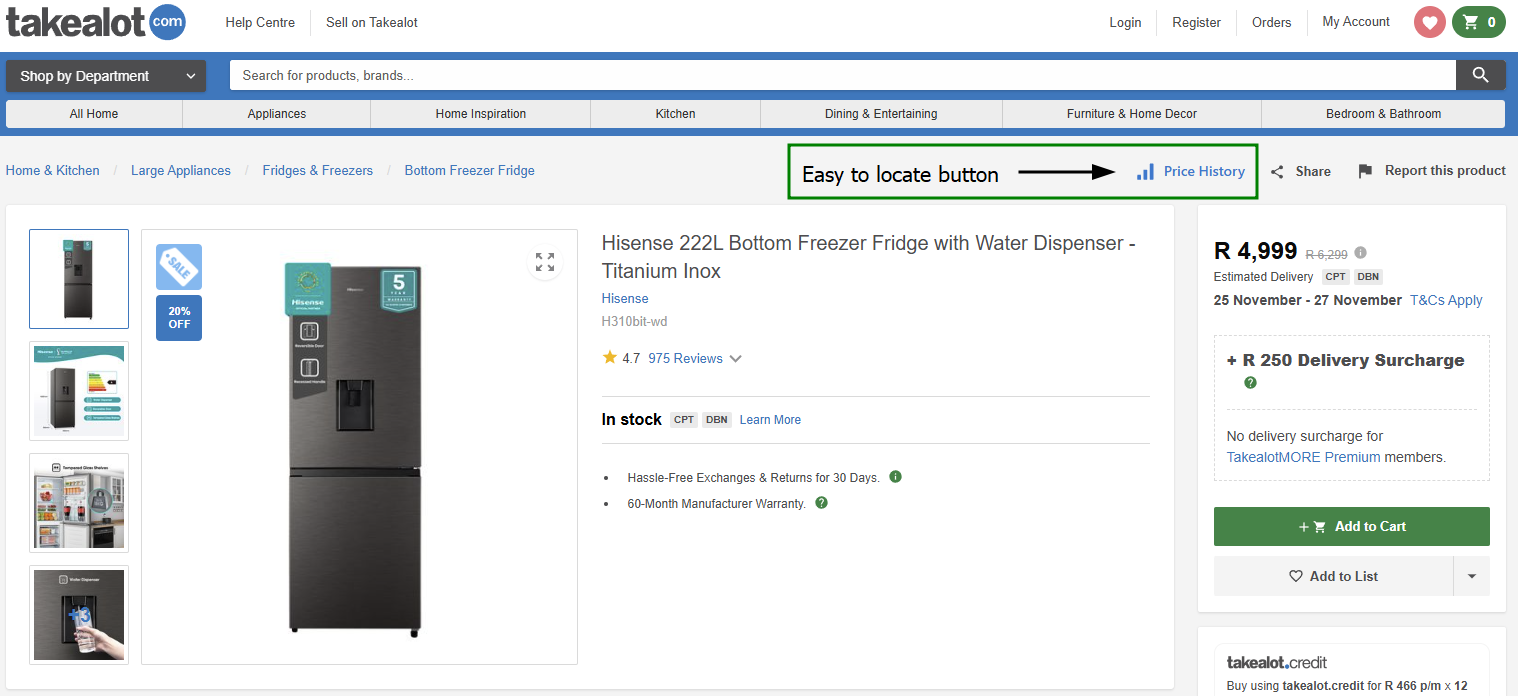
Seamlessly integrated next to Share button
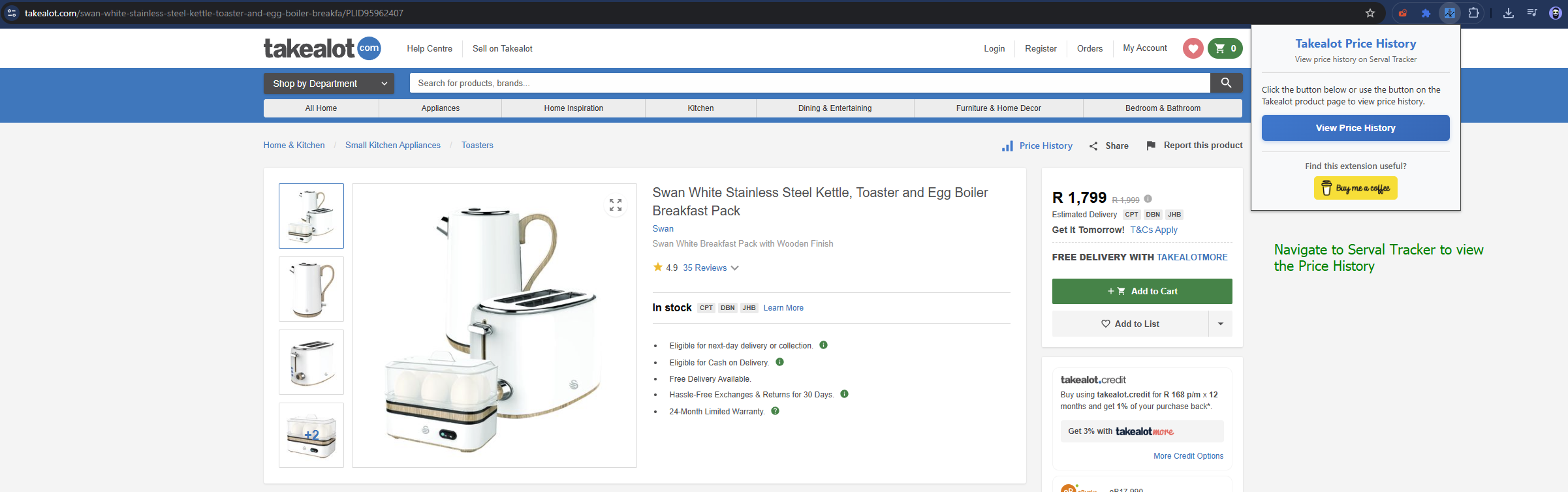
Quick access popup with donation option
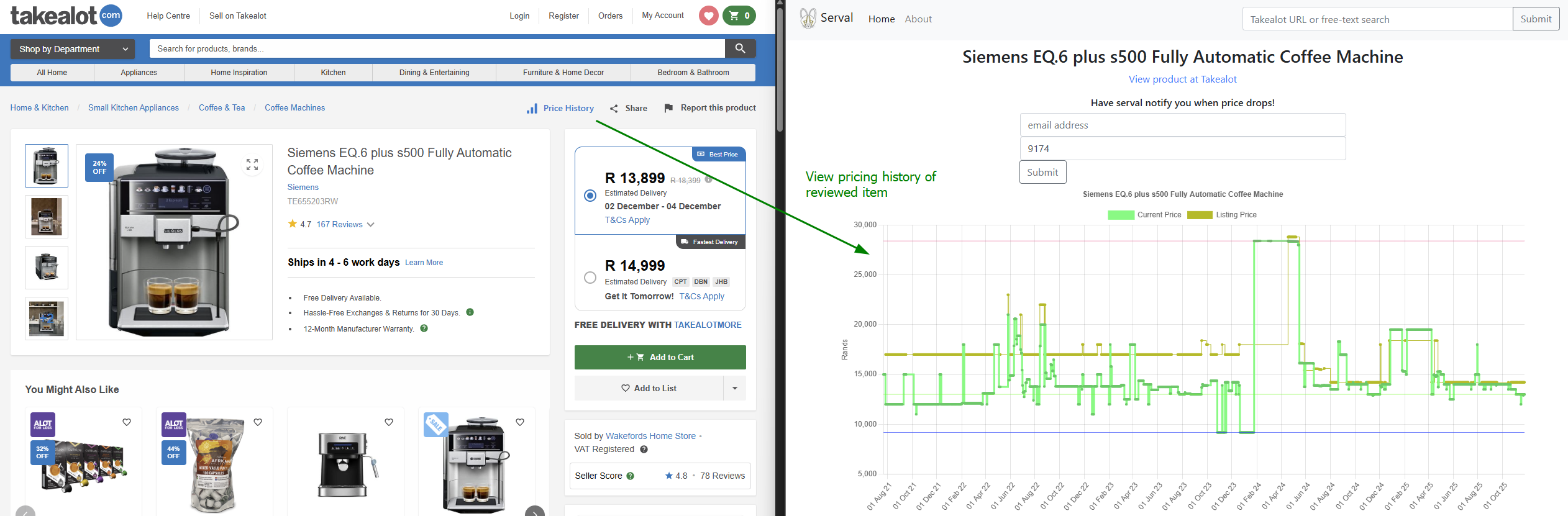
Detailed price history from Serval Tracker
We don't collect, store, or transmit any of your personal information or browsing history
Zero analytics, tracking cookies, or third-party services monitoring your activity
Extension runs entirely in your browser - no external servers involved
This extension is completely free and open source. If you find it useful, consider buying me a coffee!
Last Updated: November 24, 2025
Takealot Price History ("the Extension") is committed to protecting your privacy. This extension does not collect, store, or transmit any personal information.
The Extension performs the following actions entirely within your browser:
All of these operations happen locally in your browser. No data is sent to external servers owned or operated by us.
When you click the "Price History" button, you are directed to Serval Tracker, a third-party website. Serval Tracker operates independently and has its own privacy policy. We recommend reviewing their privacy practices.
We have no control over and assume no responsibility for the content, privacy policies, or practices of Serval Tracker or any other third-party sites or services.
The Extension requests the following Chrome permissions:
These are the minimum permissions required for the extension to function. No additional permissions for tracking, data collection, or access to other websites are requested.
Since we don't collect any data, there is no data to secure, breach, or misuse. The extension operates entirely client-side.
If we make any changes to this privacy policy, we will update the "Last Updated" date at the top of this section and update the extension listing.
If you have questions or concerns about this privacy policy, please contact us through our support channels.
By using this extension, you consent to this privacy policy.